Welcome to the Live Stream group
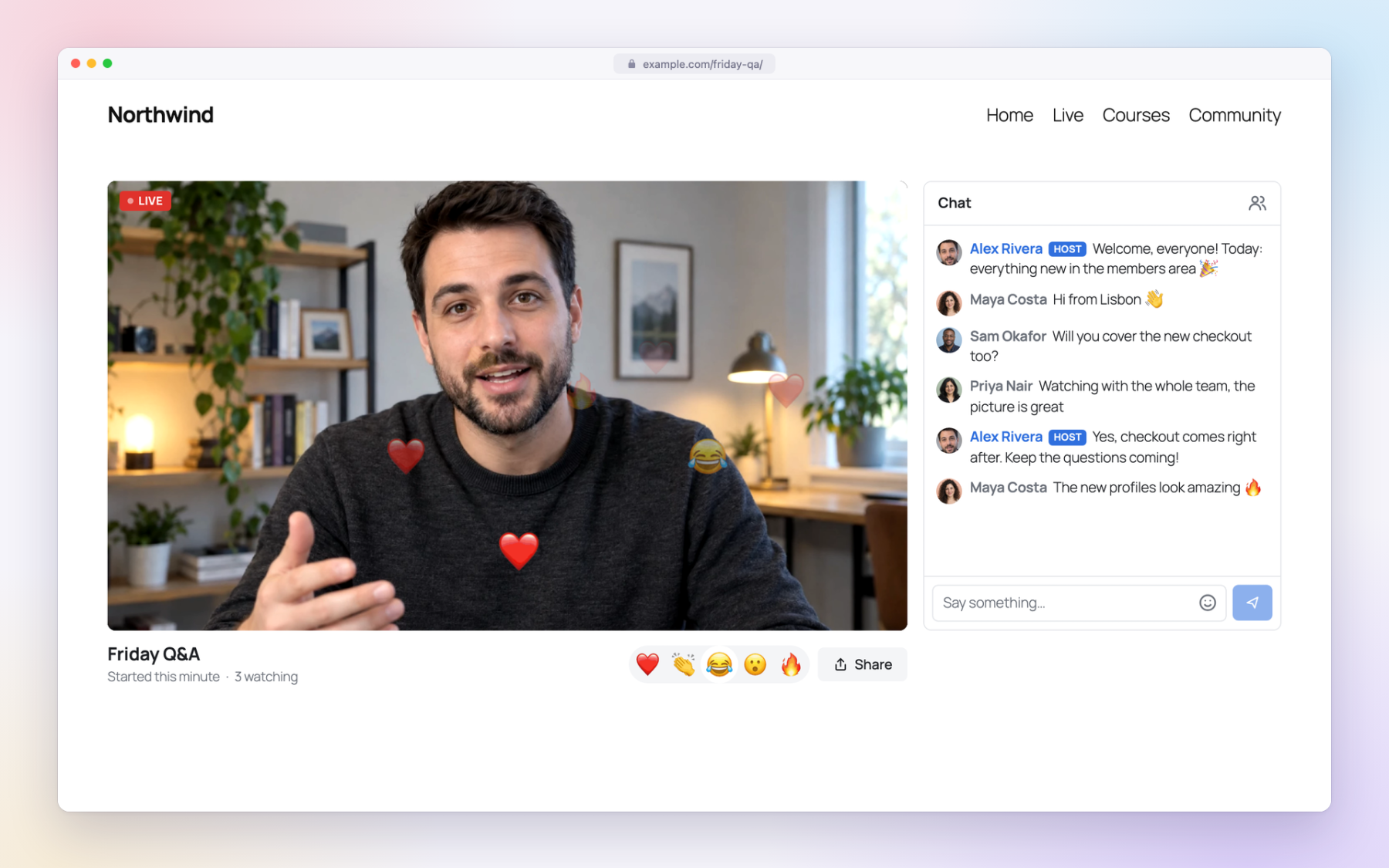
WordPlus Live Stream lets you go live from your WordPress site. Stream from your browser with a camera or a shared screen, or from OBS, and your audience watches on your own pages about a second behind you. The video goes through WordPlus Cloud’s servers, so a stream puts no load on your web server and works with page caching.
Use it for classes and coaching, webinars, launches, a weekly show, or streams for members only.
Go live
- A studio in your dashboard: camera, microphone, screen sharing with your camera in a corner, and a 3, 2, 1 countdown
- Background blur or a picture behind you, and AI noise removal for your microphone
- OBS and other WHIP encoders, with a stream that can go live the moment OBS connects
- Scheduled and weekly streams with a countdown and Add to calendar
- Recordings and replays, with captions and a transcript
For your viewers
- About a second of delay, and quality that fits each screen and connection, up to Full HD
- Picture in picture, full screen with the chat, and an upright player for streams from a phone
- A live chat with emoji reactions and moderation, or a Better Messages chat room with its history
- See who is watching, and choose who may watch: everyone, members or the roles you pick
On any page
- A Live stream block with ready layouts, or its parts placed where you want them
- A page for a stream in one click, block patterns for events and webinars, and a Live now list
- Your colours, font, logo and words, with a live preview
Pricing
Everything on your site is free to set up, and you can test a stream before you subscribe. Streaming to an audience needs a WordPlus Cloud subscription: 50 viewers at once on each site are unmetered, and no stream has a viewer limit.
Try it
This group is for
Sharing your streams, your studio and OBS setups, and questions and ideas. Going live soon? Post it here, we’d love to watch.